Check the AI usage
Checking AI Usage in Orion 🔍
At Orion, we prioritize transparency in AI usage. Our platform provides real-time tracking of token consumption across various AI components.
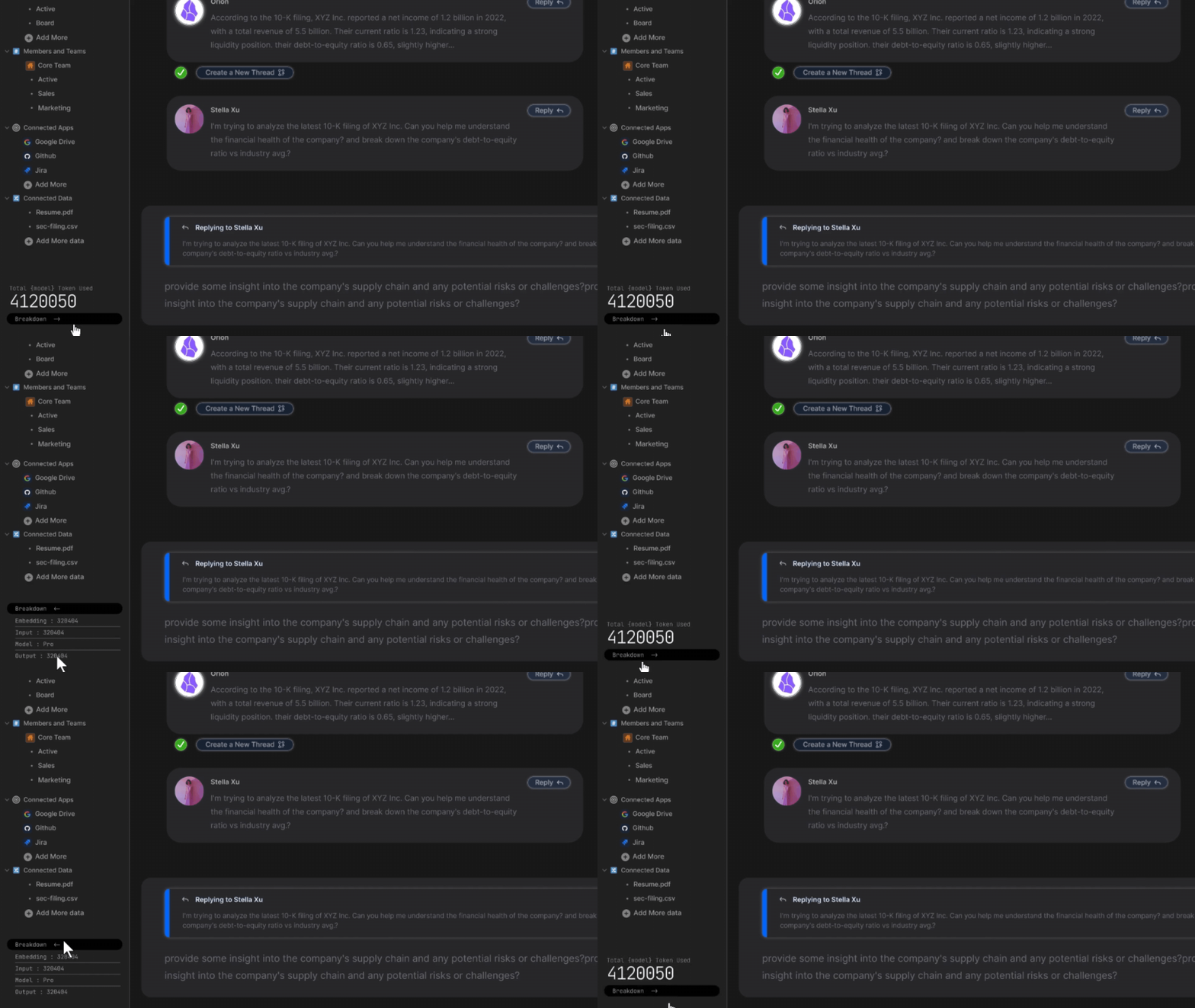
Understanding the AI Usage Display
🧠
AI Usage Tracker: Located in the bottom left corner of your Orion interface, providing instant insights into your AI consumption.
Step 1: Locate the Usage Display
Find the "Total {model} Token Used" indicator in the bottom left corner.
Step 2: View Total Usage
The number displayed represents your total token usage in the current session.
Step 3: Access Detailed Breakdown
Click the "Breakdown" button to view a comprehensive analysis of your token usage.
Step 4: Understand the Breakdown
The detailed view shows:
- Embedding Tokens
- Input Tokens
- Output Tokens
- Name of the last used Model
Benefits of AI Usage Transparency
- Gain insights into AI resource allocation
- Optimize your queries for efficiency
- Make informed decisions about your AI usage
Troubleshooting
🚧
If you can't see the usage tracker:
- Ensure you're using the latest version of Orion
- Check if you have the necessary permissions
- Contact Orion support if issues persist
By leveraging this transparency feature, you can maximize the value of Orion's AI capabilities while maintaining full awareness of your resource utilization. Happy tracking! 📊