Creating Shareable Interactive Documents
Creating Shareable Interactive Documents in Orion 🔗🤖
Orion empowers you to transform your documents into interactive experiences with public links. Follow these steps to create and share your interactive documents effortlessly.
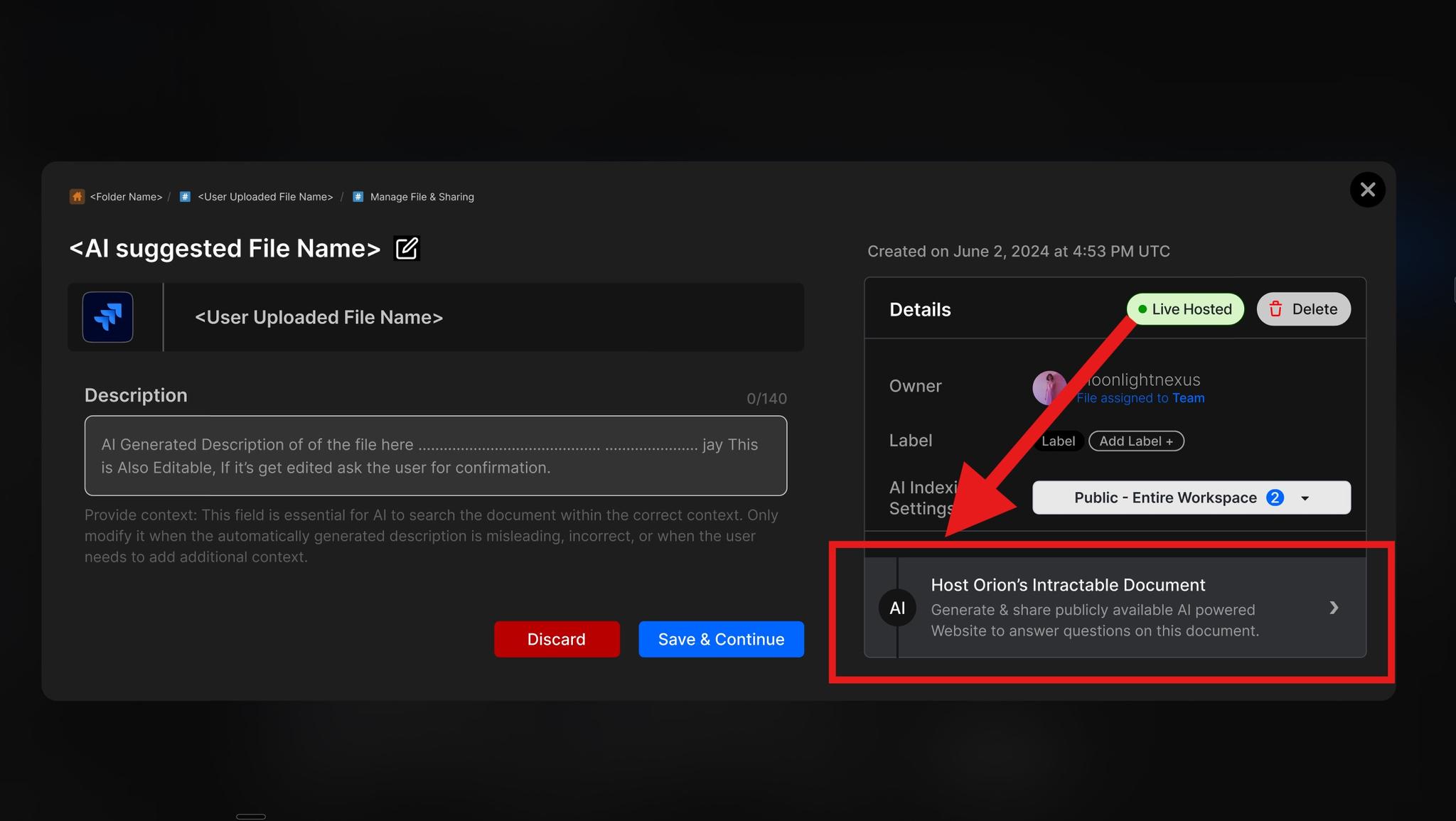
Steps to Create Shareable Documents
Step 1: Locate Your Document
Navigate to the document vault containing your desired file. If needed, use the search function to find your document by name or description.
Step 2: Access Document Management
Click on the "Manage File" button associated with your chosen document. This action will open the document management console.
Step 3: Initiate Interactive Document Creation
In the right card of the management console, locate and click the "Host Orion's Interactive Document" button at the bottom right.
Step 4: Customize Link Settings
A popup will appear, allowing you to tailor your link settings:
- Set an expiration date for the link
- Define permissions for viewers
- Adjust other relevant settings as needed
Step 5: Confirm and Generate Link
After customizing your settings, confirm your choices to generate the shareable link.
Step 6: Share Your Interactive Document
Copy the generated link and share it with your intended audience. They can now interact with your document through this unique URL.
Tips for Effective Document Sharing
- Choose appropriate permissions to maintain document security.
- Set a reasonable expiration date to control long-term access.
- Consider the intended audience when customizing interaction settings.
Troubleshooting
If you encounter issues while creating shareable documents:
- Ensure you have the necessary permissions to share documents.
- Check your internet connection if the link generation process stalls.
- If the "Host Orion's Interactive Document" button is unresponsive, refresh the page and try again.
- For persistent problems, contact your Orion administrator or our support team.
By following these steps, you can easily create and share interactive documents in Orion, enhancing collaboration and engagement with your content. Happy sharing! 📄🌐