Knowing About Each Model and Changing Models
Understanding and Switching AI Models in Orion 🤖
Orion provides a suite of powerful AI models, each tailored for specific tasks and scenarios. Let's explore these models and learn how to switch between them effortlessly.
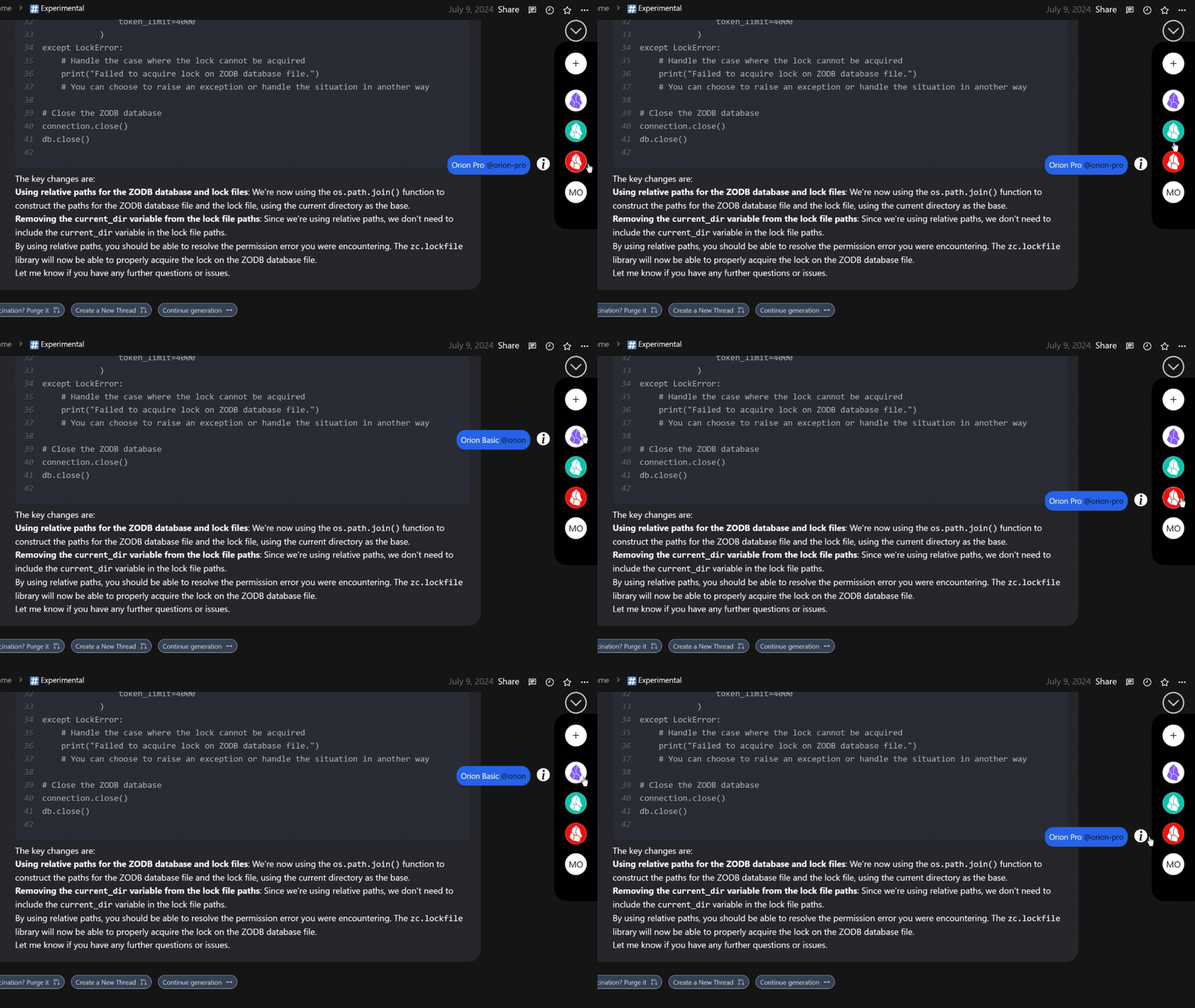
Accessing AI Models
Always Visible: Orion's AI models are always visible on the right panel in all chat spaces, ensuring easy access and seamless transitions.
How to Switch Between Models
Step 1: Open Chat Box
Start typing in the chat box where you normally enter your messages.
Step 2: Use the "@" Symbol
Type "@" in the chat box. This will open a menu where you can tag various elements:
- AI models
- Users
- Files
- Applications
- And more
Step 3: Select the Desired Model
Choose the AI model you want to use from the list that appears.
Orion's AI Models
Orion offers different models for various chat spaces. Let's explore them:
General Chat Models
Orion Advance: This top-tier fine-tuned model excels in tasks requiring analytical prowess and logical reasoning. It's designed to handle complex situational analysis and effectively navigate real-world logic.
Actions Chat Space Model
- It has only one model.
Orion Pro: Due to its extensibility and modularity, It has been granted access to a vast network of specialized components, including Data Agents, Authorization systems, Knowledge Graphs, and crawlers. This allows Orion-Pro to tackle a wide range of tasks and challenges with impressive capabilities. Under the hood, Orion-Pro is equipped with powerful code execution tools, giving it the ability to perform complex computations and implement real-world logic. It also has direct access to Orion Advance, that enhances Orion-Pro's understanding and problem-solving skills.
Tips for Choosing the Right Model
- Use Orion Advance for complex analytical tasks or when you need deep logical reasoning.
- Opt for Orion Pro when working with large amounts of context or when you need human-like responses.
- Choose Orion Basic for quick, straightforward tasks that don't require extensive processing.
Troubleshooting
If you encounter issues when switching models:
- Ensure you're using the "@" symbol correctly in the chat box.
- Check if you have the necessary permissions to access all models.
- Refresh the page if the model selection menu doesn't appear.
If problems persist, don't hesitate to contact our support team for assistance.
By understanding and effectively utilizing Orion's various AI models, you can optimize your workflow and get the most out of your Orion experience. Happy modeling! 🚀